Adding a new Fleet Admin
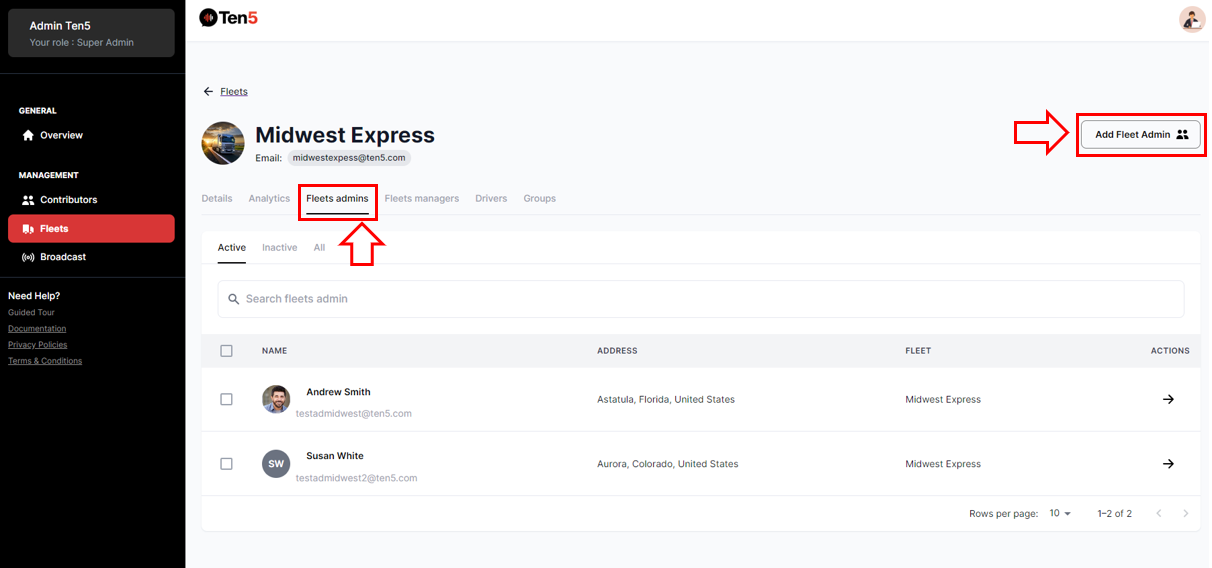
Log in as super admin user and on the left side choose the Fleet option. A list of all fleets is displayed. Select the fleet.
On the next page click on Fleet admins tab and click on the Add Fleet Admin button.
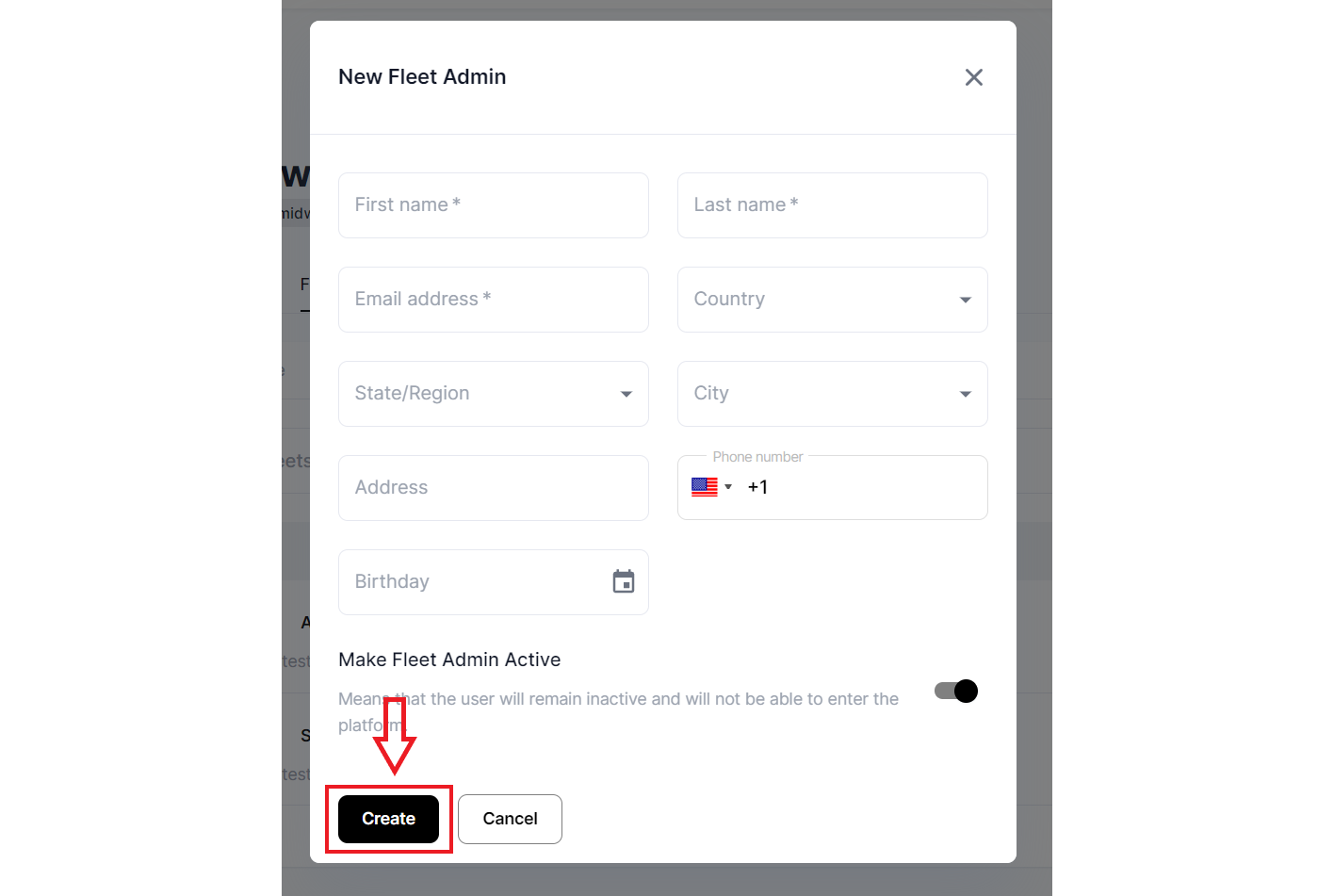
A modal is displayed.
Fill in the new fleet administrator’s information. The first name, last name, and email fields are required. Click Create button.