Sending a broadcast message to a group
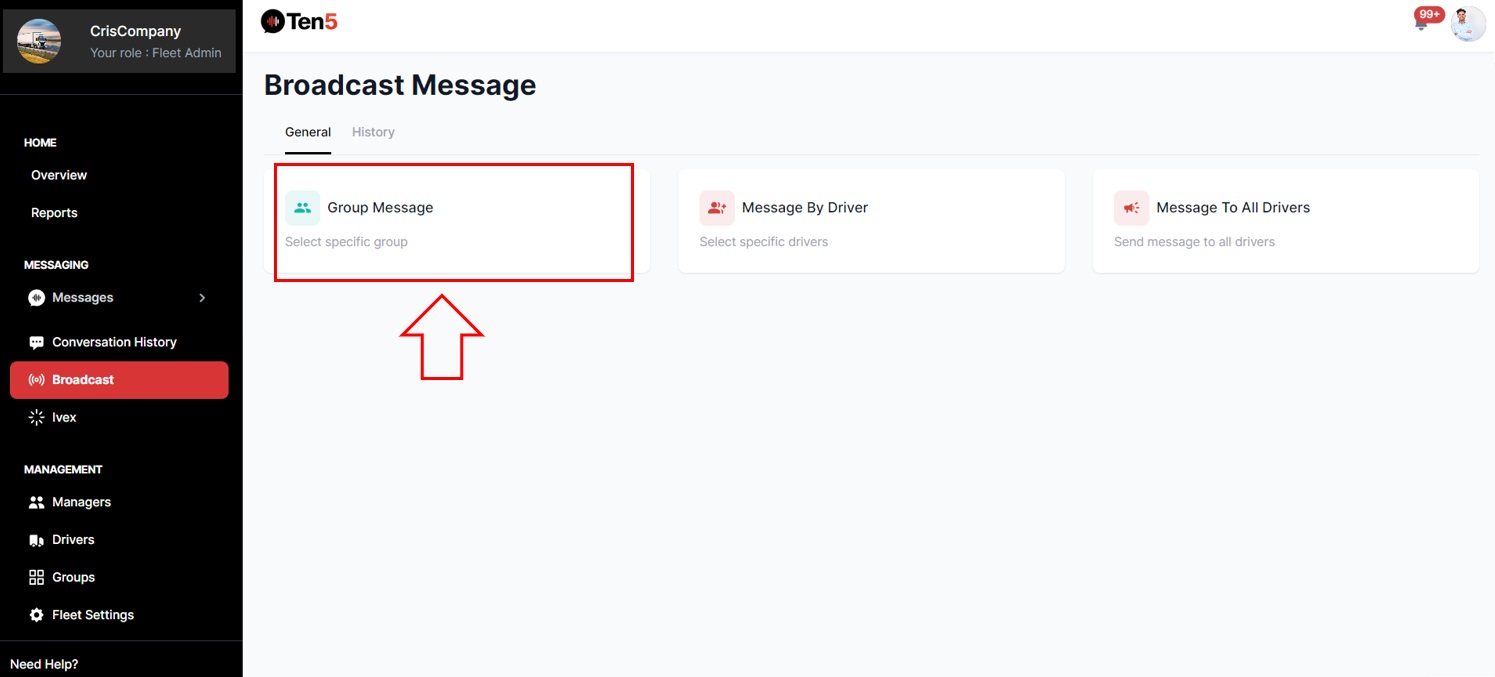
Log in as fleet admin user and on the left side choose the Broadcast option.
Then click on Group Message.
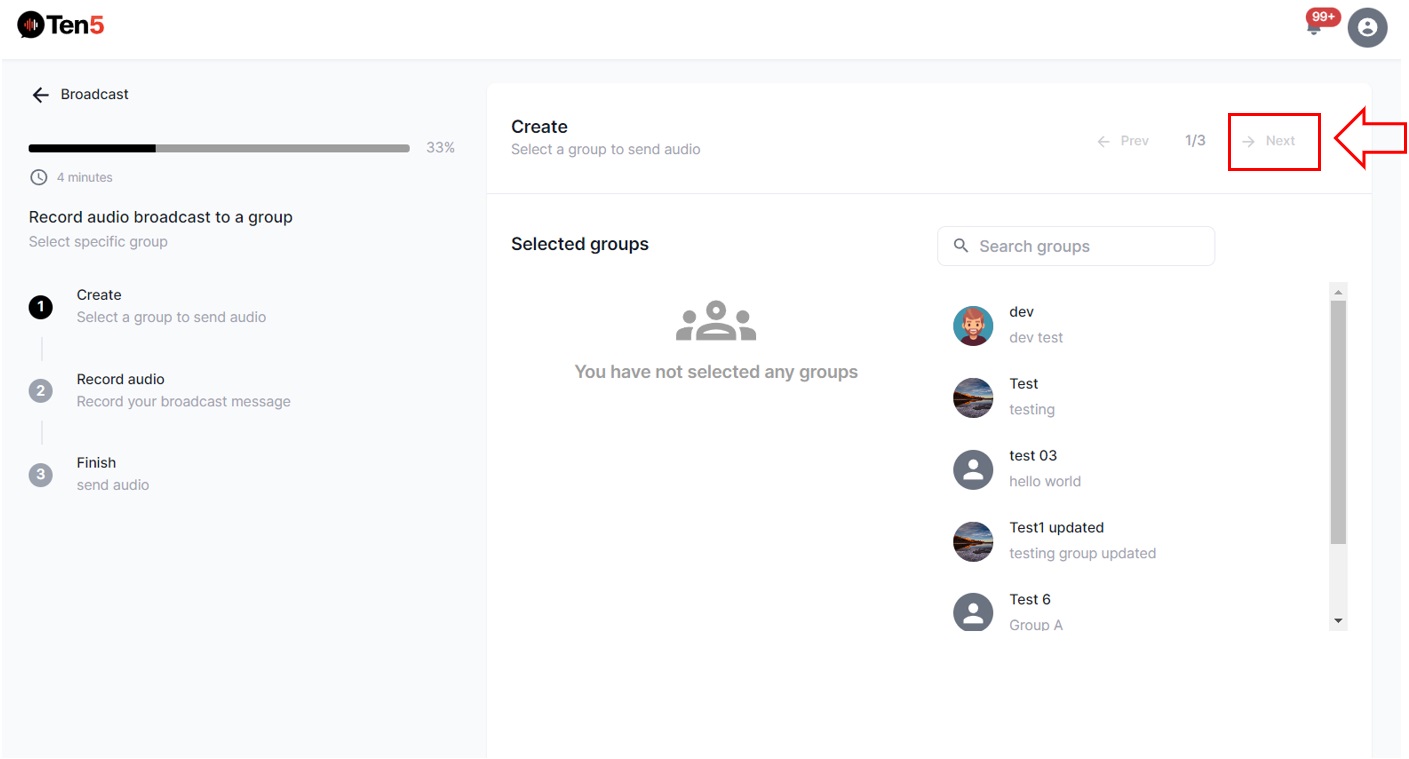
The following page is displayed. Search and select a group to send the message to. Then click on the Next button to start recording the message.
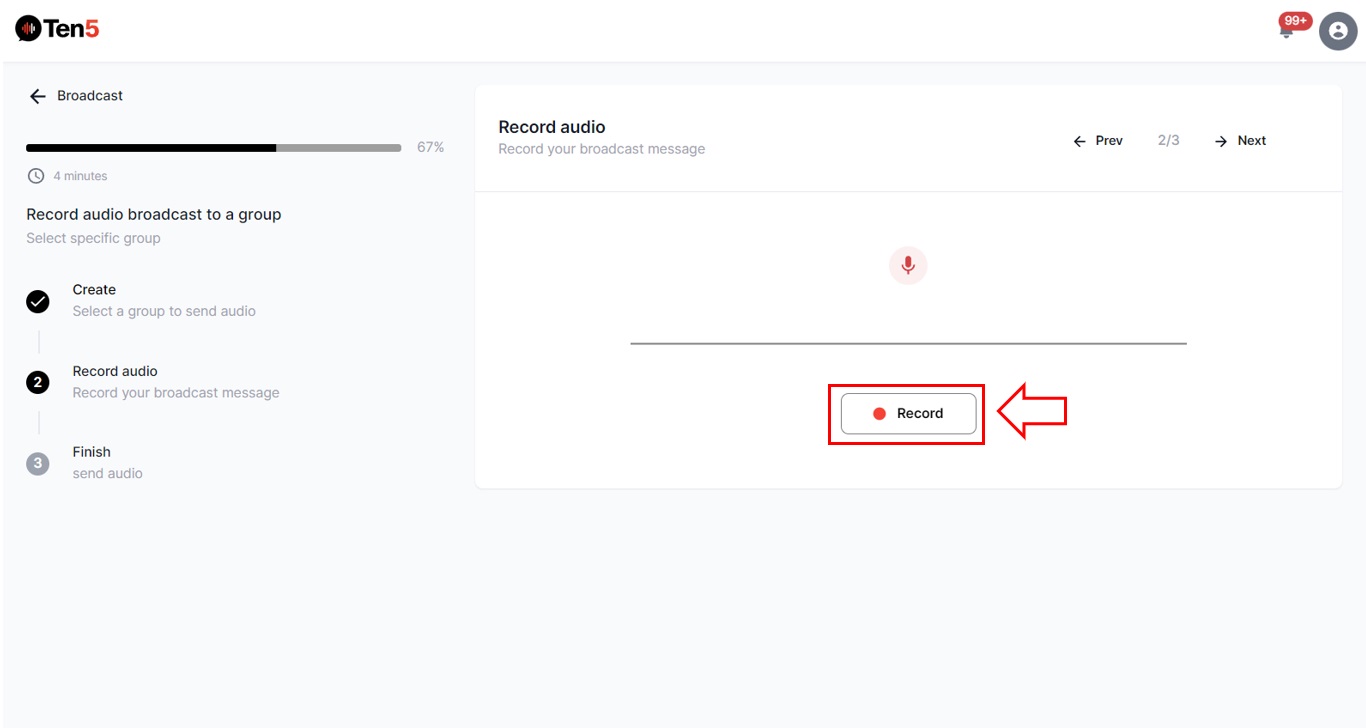
Click on the Record button to record the message, if you want re-record click Try Again. Once the message is recorded, click on the Next button.
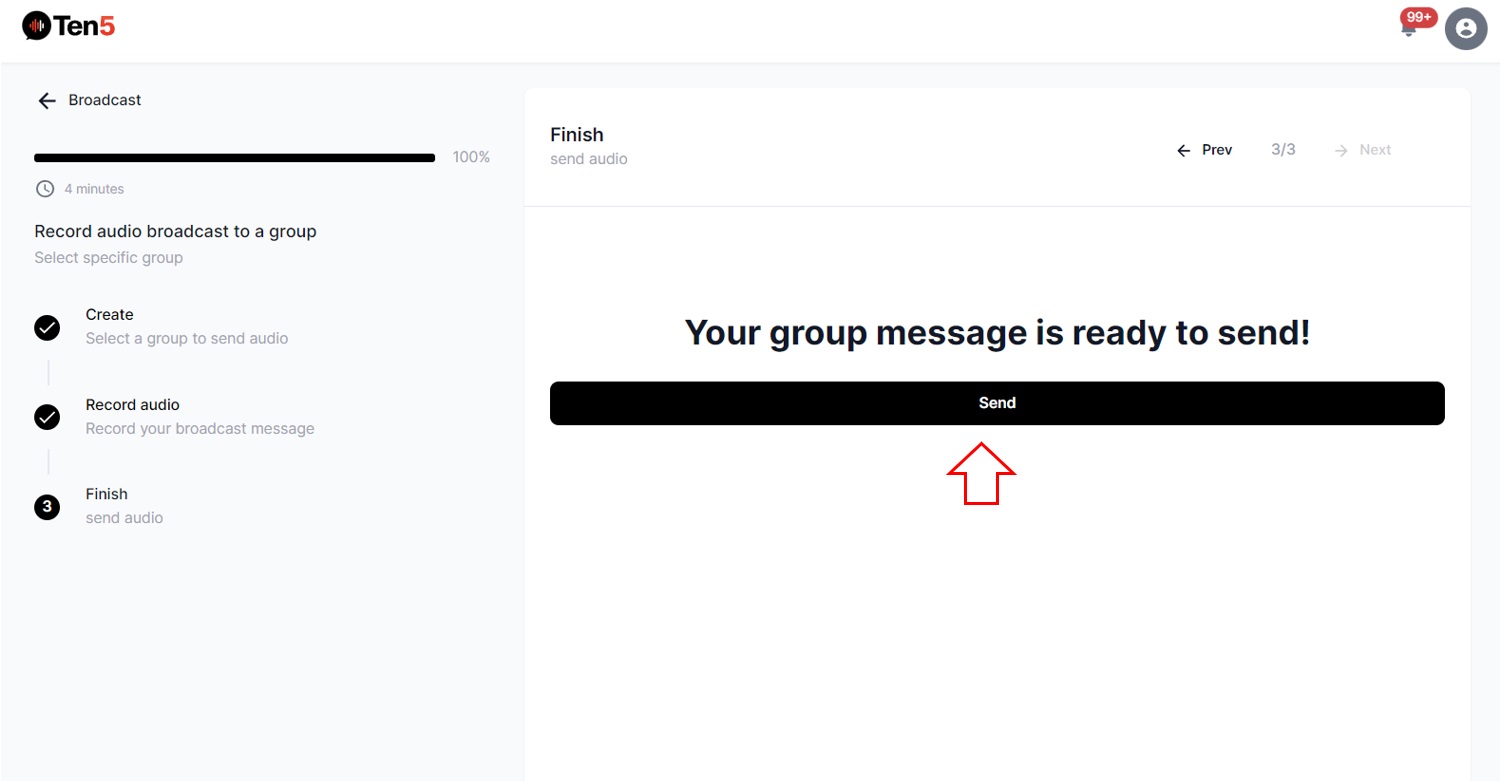
Finally click Send to send the message.